Care documentation
AI progress notes for aged care
Progress notes are often written at the end of a long shift, from memory, by a tired care worker. AI drafting lets the worker speak or type what happened in their own words and get back a clear, objective draft to check, correct and approve.
Reviewed 15 November 2026
In short
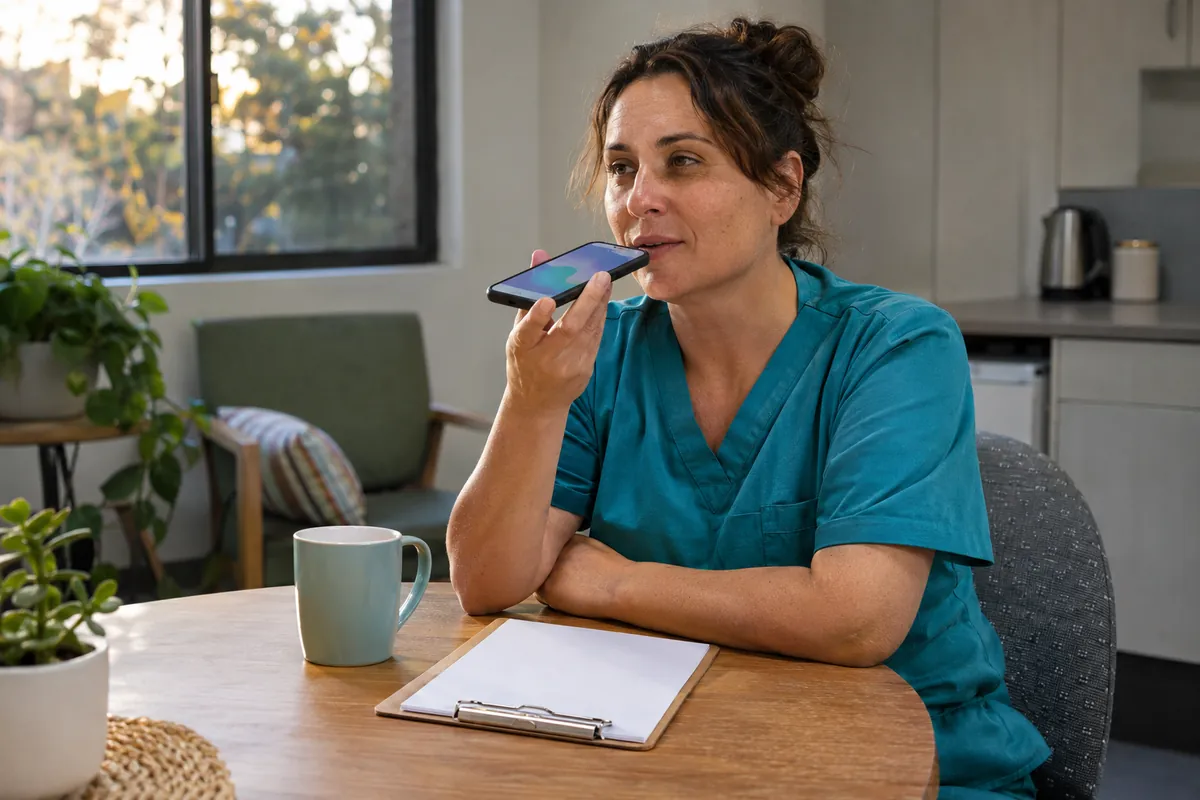
AI progress notes for aged care means a care worker records a rough note by voice or text, and an AI drafts it into a clear, objective progress note in the format your service uses.
The draft separates what was observed from what the resident said, removes vague words such as "fine" or "settled" unless they are backed by detail, and flags missing information such as times, food and fluid intake, or whether the RN was told.
Anything that might be a clinical concern, such as a new bruise, a change in behaviour or a refused medication, is flagged for a registered nurse to review. The worker checks and approves the note, and nothing goes into the care record without a person accepting it. The AI does not assess, diagnose or decide care.
It saves writing time and makes notes more consistent, while staff keep full responsibility for what the record says.
Why progress notes are hard to get right
Progress notes are the running record of a resident's or client's day: what care was given, what was observed, what changed and who was told. Assessors, RNs on the next shift, GPs, families and, when something goes wrong, investigators all rely on them. Yet they are usually written in the last 20 minutes of a shift, after the work is done, often on a shared computer with a queue behind it.
The common problems are well known to any care manager. Notes that say "resident had a good day" and nothing else. Notes copied from yesterday with the date changed. Notes that mix fact with opinion ("she was being difficult"). Notes that mention a skin tear but not where it was, how big it was or whether the RN was told. Notes written in a second language under time pressure, where the meaning is clear to the writer but not to the reader.
In home care the problem is different but just as real. Care workers finish a visit, drive to the next client and write the note on a phone in the car. Short, rushed notes mean the coordinator does not find out about a change in a client's condition until a family member rings to complain.
How AI drafting for progress notes works
The care worker opens a simple form on a tablet or phone, picks the resident or client, and either speaks or types a rough account: "Helped Mrs B shower at 7.30, she was a bit unsteady, small red mark on left shin, said it was from the bed rail, ate half her breakfast, told the RN on shift." The AI turns this into a draft written in your service's style and structure, for example under headings for personal care, nutrition and hydration, mobility, skin, mood and behaviour, and communication with the RN.
The draft is shown back to the worker on the same screen. They can edit any line, delete anything that is wrong, and must tap to approve before the note is saved or sent on.
If your care management system allows notes to be written through an API, the approved note can be posted there. Otherwise it is copied in, or saved to a holding queue for the RN or team leader to transfer.
Connecting to a named system is custom work quoted separately, because it depends on what that system's API allows.
| Rough note says | AI draft does | AI never does |
|---|---|---|
| "Bit unsteady this morning" | Writes "Resident appeared unsteady when standing from the shower chair" and asks whether a walking aid was used | Decide the resident is at higher falls risk |
| "Red mark on shin" | Asks for location, size and cause if known, and flags it for RN review | Describe the wound type or stage it |
| "Didn't want her tablets" | Records the refusal as stated and flags it for RN review under your medication policy | Suggest what to do about the medication |
| "Grumpy today" | Asks the worker to describe what was seen or said, and replaces the label with the description | Infer a diagnosis such as delirium or depression |
| "Ate half brekky, good fluids" | Records approximate portion eaten and asks for fluid amounts if your service charts them | Calculate nutrition risk scores |
Flags for missing details and possible clinical concerns
The most useful part of the draft is often the list of questions underneath it. You decide the rules with your clinical lead. Typical ones include: any mention of a fall, bruise, skin tear, pain, refusal of care or medication, change in behaviour, choking or coughing at meals, or a resident not eating, triggers a "for RN review" flag. Missing items your policy requires, such as the time of an event or whether a family member was contacted, trigger a prompt for the worker to add them.
The flags are prompts for people, not decisions. The AI can miss things, and it can flag things that turn out to be nothing. A registered nurse reviews flagged notes and decides what clinical follow-up is needed, in the same way they would if a care worker had walked up and told them. If something in a note might be a reportable incident, the RN or manager follows your incident management process; the drafting tool does not decide reportability.
- Mentions of falls, skin tears, bruises or pain are flagged for RN review
- Refused care or medication is recorded as stated and flagged
- Changes in eating, drinking, mood or behaviour are flagged
- Missing times, locations or "who was told" prompt the worker to add them
- Opinion words are replaced with what was actually seen or heard
Check whether this fits your service
A free 30-minute video call. We look at your call volumes, systems and where staff time goes, and tell you whether this is the right first step. No resident information needed.
The risks and how to control them
There are three risks to manage. The first is the AI adding something that was not said (often called hallucination). A draft might say the worker "assisted with mobility using a four-wheeled walker" when the worker never mentioned a walker.
The control is to instruct the model to use only what the worker provided, to show the original rough note beside the draft so differences are easy to spot, and to require the worker to approve every note.
During the pilot, an RN or quality officer compares a sample of drafts against the rough notes each week.
The second risk is copying forward. If the tool can see yesterday's note, it can be tempted to repeat it. We set it up so each draft is built only from today's input. Repeated wording across days is a warning sign for auditors and for anyone reading the record later.
The third risk is privacy. Progress notes contain health information, which is sensitive information under the Privacy Act. The service is configured so notes are processed and stored in Australian-region hosting where the underlying services allow it, the AI model services used are ones whose business terms say customer data is not used for training, access is limited by role, and we document where each piece of data goes so your privacy officer can check it. Voice recordings, if used, can be deleted once the note is approved.
What staff still do
The care worker is still the author of the note. They decide what happened and approve the wording. The RN still reviews flagged notes and decides on clinical follow-up, care plan changes, GP referrals and family contact. The care manager still owns the documentation policy, decides which headings and prompts the tool uses, and checks the quality of the record through audits.
Training is short but important. Workers need to know that the draft can be wrong, that approving it means they are signing off on it, and how to correct it. We include a one-page guide and a short practice session as part of setup.
What to measure in a pilot
Run the pilot on one wing or one home care team for six to eight weeks. Before it starts, pull a sample of 50 recent notes and score them against your documentation checklist, so you have a baseline. Then score a similar sample of AI-assisted notes each fortnight.
As an illustration of the time involved: if 12 care workers on a morning shift each spend 15 minutes on notes, that is 180 minutes a shift. If drafting cuts that to 8 minutes each, the saving is 84 minutes a shift, or roughly 9.8 hours a week across seven mornings. These are illustrative figures; measure your own before and after.
- Note completeness against your checklist, before and after
- Average time from end of care to approved note
- Number of RN review flags raised, and how many led to action
- Number of drafts where the worker removed content the AI added
- Worker feedback on ease of use, especially for staff with English as a second language
How it works in practice
- 1
Agree the format and flag rules
Your clinical lead and care manager approve the headings, the words to avoid, the details that must be present and the situations that trigger an RN review flag.
- 2
Privacy and data review
We document where notes and any voice recordings are processed and stored, retention periods and access by role, for your privacy officer to sign off.
- 3
Pilot on one team
One wing or home care team uses the tool for six to eight weeks, with weekly sample checks of drafts against rough notes.
- 4
Review and decide
We compare note quality and time against the baseline with you and decide whether to extend it, change the rules or stop.
Common questions
Can AI write progress notes for aged care?
AI can draft progress notes from a care worker's spoken or typed rough notes, in your service's format. The worker must check and approve the draft, and flagged concerns go to a registered nurse. The AI should not be the author of record or make clinical judgements.
Is it safe to use AI for clinical documentation in aged care?
It can be, with controls: the AI only uses what the worker provided, every note is approved by a person, an RN reviews flagged notes, drafts are sampled during the pilot, and data is handled under your privacy policy. Without those controls the risk of inaccurate records is real.
Does it work for care workers whose first language is not English?
Yes, and this is often where it helps most. Workers can speak or type in plain words and get back a clear English draft. They still need to read and approve it, so the draft is kept short and plain.
Will it connect to our care management system?
It depends on the system. Where a system allows notes to be written through an API, approved notes can be posted directly. That connection is custom work quoted separately. Without it, approved notes can be copied in or held in a queue for transfer.
What stops the AI copying yesterday's notes?
The tool is set up to build each draft only from the worker's input for that shift, not from earlier notes. Sample checks during the pilot look for repeated wording across days.
Are voice recordings kept?
Only if you choose to keep them. The usual setup deletes the audio once the note is approved, so the approved text note is the record. Retention follows your records policy.
Sources and further reading
- Australian Privacy Principles (Office of the Australian Information Commissioner)
- Health information and medical research (sensitive information) (Office of the Australian Information Commissioner)
- Standard 2: The organisation (strengthened Quality Standards) (Aged Care Quality and Safety Commission)
Related pages
Incident Management and SIRS
When an incident happens, the details are freshest in the first hour and the reporting clock may already be running. AI tools can help staff capture what happened straight away, keep the paperwork moving and remind the right people before a deadline, while your managers make every reporting decision.

Policy Knowledge Assistant
Your policies and procedures run to hundreds of pages across shared drives, intranets and binders. A private AI assistant lets a care worker on night shift ask a plain question and get an answer drawn from your documents, with a link to the exact policy it came from.

AI Privacy Guide for Aged Care
Aged care records hold some of the most sensitive information a person has. Before any AI tool touches it, you need to know where the information goes, who can see it and what the law expects.
AI Risks and Limits in Aged Care
We build AI tools for aged care providers, and we think the risks deserve as much attention as the benefits. This page sets out what can go wrong, how to reduce it, and the jobs AI should not be given.
Talk it through with us
A free 30-minute video call about where admin time goes in your service and which task is worth automating first. No obligation, and no resident information needed.