Incidents and SIRS
Aged care incident management and SIRS support
When an incident happens, the details are freshest in the first hour and the reporting clock may already be running. AI tools can help staff capture what happened straight away, keep the paperwork moving and remind the right people before a deadline, while your managers make every reporting decision.
Reviewed 15 November 2026

In short
AI for aged care incident management and SIRS helps your staff record incidents at the point they happen, in a structured form, and keeps the follow-up on time.
A care worker speaks or types what they saw; the tool turns it into a draft incident record with the fields your Incident Management System needs, prompts for missing facts, and alerts the manager on duty.
If a manager marks an incident as possibly reportable under the Serious Incident Response Scheme, the tool tracks the official timeframes (Priority 1 within 24 hours of becoming aware, Priority 2 within 30 days, as published by the Aged Care Quality and Safety Commission at November 2026) and drafts the notification text for review.
The AI never decides whether an incident is reportable or which priority it is. Your manager decides, and your service lodges the notification with the Commission.
What SIRS asks of providers
The Serious Incident Response Scheme applies to providers of residential aged care and home services. The Commission lists home services as including the Support at Home program, the Commonwealth Home Support Program, flexible care delivered in a home or community setting (including Multi-Purpose Services and the Transition Care Program) and the National Aboriginal and Torres Strait Islander Flexible Aged Care Program.
There are 8 types of reportable incident: unreasonable use of force; unlawful sexual contact or inappropriate sexual conduct; psychological or emotional abuse; unexpected death; stealing or financial coercion by a staff member; neglect; inappropriate use of restrictive practices; and unexplained absence in the course of delivery of care. Providers must notify the Commission of reportable incidents, including alleged or suspected ones, through the My Aged Care provider portal, and must say whether each is Priority 1 or Priority 2.
Every incident, reportable or not, also has to be managed in line with your Incident Management System. The strengthened Quality Standards (Standard 2) list using an incident management system among the things the organisation must do. In practice this means a record, an assessment, actions, follow-up with the person affected and their family, and learning that feeds back into practice.
| Priority | When to notify the Commission | Examples the Commission gives |
|---|---|---|
| Priority 1 | Within 24 hours of becoming aware | Injury or discomfort needing medical or psychological treatment; unlawful sexual contact or inappropriate sexual conduct; unexpected death; unexplained absence; any incident where there are reasonable grounds to report to police |
| Priority 2 | Within 30 days of becoming aware | All other reportable incidents that are not Priority 1 |
Where incident handling breaks down
The problems rarely come from staff not caring. They come from timing and paperwork. An incident happens at 2am, the care worker deals with the resident, tells the RN, and the incident form is filled in at the end of the shift from memory. The manager who needs to make the reportability decision arrives at 8.30am and finds the form in a queue. If it was a Priority 1 incident, a third of the 24 hours has already gone.
In home care the gap can be longer. A care worker notices unexplained bruising on a client on Friday afternoon, mentions it to the coordinator by text, and the coordinator is off until Monday. The question of whether this is suspected neglect or abuse, and whether it is reportable, sits unanswered over a weekend.
Incident forms themselves are often the weak point: free text that does not say who was present, when staff became aware, what immediate action was taken, or whether the family and GP were contacted. Investigators and the Commission ask for exactly those details.
Capture at the point of the incident
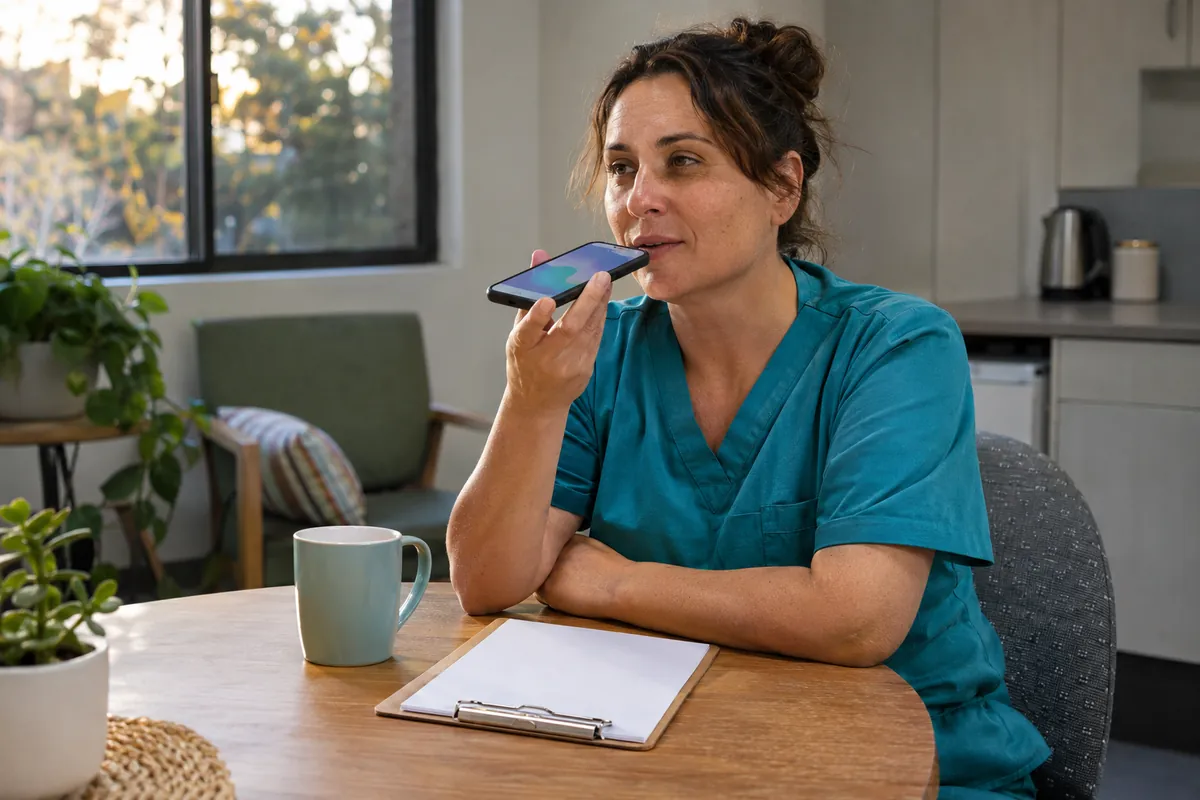
The first job of the tool is to make recording quick enough to do straight away. A care worker opens the incident form on a phone or tablet, selects the resident or client, and speaks or types what happened. The AI drafts a structured record: date and time of the incident, date and time staff became aware, location, people involved and present, what was seen and heard (kept separate from what was reported by others), immediate actions taken, injuries observed, and who has been told so far.
Gaps are flagged as questions, not filled in. If the worker has not said when they became aware, the form asks. If there is no record of whether the RN assessed the person, it asks. The worker reviews the draft, corrects it and submits it. The original words they used are kept alongside the draft so a reviewer can see exactly what was said.
- Structured fields matched to your existing incident form
- Separate fields for what was observed and what was reported
- Time of incident and time of becoming aware recorded separately
- Original words kept with the draft for review
- Manager on duty alerted as soon as the form is submitted
Check whether this fits your service
A free 30-minute video call. We look at your call volumes, systems and where staff time goes, and tell you whether this is the right first step. No resident information needed.
Reminders against SIRS timeframes
When a manager reviews a new incident record, they answer the questions your procedure sets: is this one of the 8 reportable incident types, and if so, is it Priority 1 or Priority 2. The tool can show the Commission's own guidance and decision support tool link beside the record so the manager has it in front of them, but it does not answer the question for them.
Once the manager records a decision, the tool starts the clock from the time staff became aware, which is the point the Commission's timeframes run from.
For a Priority 1 decision it sends reminders to the manager and a backup at set points before 24 hours, and escalates to the next person on your list if nobody confirms lodgement. For Priority 2 it sets reminders well inside the 30 days.
If police need to be notified, the reminder includes that step as well, since the Commission's guidance says that where an incident involves a crime or ongoing danger, the police must be told within 24 hours.
Reminders stop only when a person records that the notification has been lodged, with the reference number from the portal.
Drafts for review, lodgement by your service
Writing the notification is where managers lose time. The tool can draft the narrative text from the incident record: a factual account, the people involved, injuries, immediate actions, and steps taken to support the person affected. The manager edits it, checks it against the facts and lodges it in the My Aged Care provider portal. The tool does not log in to the portal or submit anything on your behalf.
The same record then supports the follow-up work: open disclosure with the older person and their family (handled by your staff), the investigation, any changes to the care plan, and the actions your governance committee needs to see. Each action has an owner and a due date, and overdue actions show up in a weekly summary.
Trends for your governance committee
Because incidents are captured in a consistent structure, they can be summarised. A monthly summary might show incident counts by type, by wing or team, by time of day and by shift, the number that were reportable and their priorities, how many notifications met the timeframe, and how many actions are still open. The AI can draft the narrative for the board or clinical governance report; a manager checks the numbers and signs it off.
As an illustration: a 100-bed home that records 40 incidents a month, of which 3 are reportable, might find that most falls happen between 5pm and 7pm, or that most medication incidents cluster on one wing. That is the kind of pattern that is easy to miss when incidents live in separate free-text forms.

Limits, privacy and what we will not build
We will not build a tool that decides reportability, assigns priority, closes an incident or lodges a notification without a person. The Commission's guidance places those decisions with the provider, and they need human judgement about context, cognitive impairment, harm and intent that an AI cannot be relied on to make.
Incident records contain sensitive health information and sometimes allegations against staff. Access is restricted by role, records are stored in Australian-region hosting where the underlying services allow it, and every view and edit is logged. If you already use a dedicated incident management system, the usual approach is to feed drafts into it rather than create a second system. That connection is custom work quoted separately and depends on what your system's API allows.
How it works in practice
- 1
Map your procedure
Your quality manager approves the form fields, the alert list, the reminder points and the escalation path. The reportability decision stays with your nominated managers.
- 2
Test with past incidents
We run de-identified past incidents through the drafting step and check the drafts against what was actually recorded.
- 3
Go live on one site or team
Staff use the capture form for real incidents, managers receive alerts and reminders, and drafts are reviewed before anything is lodged.
- 4
Review after six weeks
We check timeliness, form completeness and staff feedback with you, then adjust or extend.
Common questions
What is the SIRS reporting timeframe for Priority 1 incidents?
The Aged Care Quality and Safety Commission says Priority 1 incidents must be notified within 24 hours of becoming aware, and Priority 2 incidents within 30 days of becoming aware (as at November 2026). Check the Commission's website for current guidance.
Can AI decide whether an incident is reportable under SIRS?
No, and it should not. The provider decides whether an incident is one of the 8 reportable types and which priority applies. AI can put the guidance in front of the manager and track deadlines once a decision is made, but the decision stays with people.
Does SIRS apply to home care and Support at Home?
Yes. The Commission says SIRS applies to residential aged care and home services, and lists Support at Home, the Commonwealth Home Support Program and some flexible care programs as home services.
Can the AI lodge the notification with the Commission?
No. Notifications are lodged by your staff through the My Aged Care provider portal. The tool drafts the text for a manager to check and then records the reference number once it is lodged.
Does this replace our incident management system?
Usually not. The simplest approach is to keep your existing system and use AI for faster capture, drafting and reminders. Feeding drafts into a named system depends on its API and is custom work on a quote.
What happens if a manager misses a reminder?
Reminders escalate to the next person on your list at the points you set, and keep going until someone records that the notification was lodged or that the incident was assessed as not reportable.
Sources and further reading
- About reportable incidents (Priority 1 and Priority 2) (Aged Care Quality and Safety Commission)
- SIRS in residential and home services (Aged Care Quality and Safety Commission)
- Incident Management Systems (Aged Care Quality and Safety Commission)
- Standard 2: The organisation (strengthened Quality Standards) (Aged Care Quality and Safety Commission)
- Open disclosure: rebuilding trust after something goes wrong (Aged Care Quality and Safety Commission)
Related pages
AI Progress Notes for Aged Care
Progress notes are often written at the end of a long shift, from memory, by a tired care worker. AI drafting lets the worker speak or type what happened in their own words and get back a clear, objective draft to check, correct and approve.

Feedback and Complaints Management
Complaints and feedback arrive by phone, email, website form, a note at reception or a word to a care worker in the corridor. AI tools can make sure each one is recorded, acknowledged and sent to the right person, then tracked until it is closed, while your staff do the listening, the apologising and the fixing.

Strengthened Quality Standards and AI
The strengthened Quality Standards ask providers to show what they do, with evidence. AI can take on part of the paperwork behind that evidence. It cannot take on the clinical and care judgement the Standards are about.

AI Governance for Aged Care Boards
Directors of aged care providers already carry legal governance duties for quality and safety. AI is now part of the operations those duties cover, and boards need a simple, regular way to oversee it.
Talk it through with us
A free 30-minute video call about where admin time goes in your service and which task is worth automating first. No obligation, and no resident information needed.